Strategy guide
Connect ChatGPT to a trading account with MCP
ChatGPT can connect to Fensory as a custom remote MCP app. Full write actions are currently available in beta for ChatGPT Business, Enterprise and Edu workspaces. ChatGPT Pro can connect custom MCP apps with read and fetch permissions, which is enough to inspect an account and markets but not to place an order.
Use a regular conversation with Fensory selected. OpenAI states that agent mode does not use custom apps, and deep research uses them for read and fetch actions only. Fensory is not available to US persons.
Copy this prompt
Use the Fensory app to read my account only. Call get_spot_account_state, get_spot_metadata, get_user_fees and get_open_orders. Find the BTC/USDC spot market, state whether it is quoted in USDC, show my available balance, current open orders, applicable fees and per-order cap.

Do not place, cancel or replace an order. If this ChatGPT workspace and mode expose write actions, prepare an illustrative $10 BTC/USDC market order and show every argument that place_hl_spot_order would receive. Ask for my explicit confirmation for that exact action. If write actions are unavailable, say that clearly and stop. Never substitute a non-USDC pair or a perpetual future.Who this is for
This guide is for an eligible ChatGPT user who wants to verify a Fensory connection and understand whether the selected workspace, mode and account support read-only access or real trading actions.
What it is not
It is not a workaround for ChatGPT plan restrictions. A successful read call on Pro does not mean the same connection can submit an order. The example stays read-only until every required write permission is present.
What you need
A supported ChatGPT workspace
Trading actions currently require Business, Enterprise or Edu full MCP beta access. Pro developer mode supports read and fetch tools only.
A custom MCP app
Add the Fensory remote endpoint in developer mode, complete OAuth with the intended Fensory account and select the app for the message that needs a tool call.
An eligible Fensory account
Read tools work before agentic trading is enabled. Write tools also require the account allow-list, per-order cap and available venue balance.
What the agent does
01
Confirm what the ChatGPT plan can do
Pro custom MCP access is read and fetch only. Business, Enterprise and Edu currently receive full MCP write actions in beta. Check this before treating a successful connection as a trading setup.
02
Read the spot account
ChatGPT reads the available balance and any resting orders before it prepares another. This works as a useful connection test even when the workspace is read-only.
Tools: get_spot_account_state · get_open_orders
03
Resolve the spot pair
The tool identifies the actual Hyperliquid spot pair and whether it is USDC quoted. Fensory rejects agent orders where the per-order USD limit cannot be applied, so the quote currency is part of the safety check.
Tools: get_spot_metadata
04
Read the fee schedule
The account-specific venue fee and Fensory builder fee should be visible before confirmation. The public Fensory builder-fee range is 0.01% to 0.05% on Hyperliquid spot and perpetual futures.
Tools: get_user_fees
05
Prepare or submit according to the mode
A read-only workspace stops after showing the proposed arguments. In a workspace with full MCP, instruct ChatGPT to submit only after it has shown the exact action and you have confirmed it. The Fensory account controls still apply.
Tools: place_hl_spot_order
Failure modes and limits
The plan is read-only
ChatGPT Pro can connect and read the account without exposing the write action. Treat that as a supported research workflow, not as failed OAuth and not as proof that trading is enabled.
The conversation is in the wrong mode
Agent mode does not use custom apps. Deep research uses custom apps for read and fetch actions only. Use a regular conversation and select Fensory for the message.
OAuth used the wrong Fensory account
The browser may already be signed in elsewhere. Compare the account balance and controls returned by the read tools before enabling a write action.
The pair is not USDC quoted
The per-order USD limit cannot be applied to a non-USDC spot pair, so the backend rejects the agent order. The prompt requires a USDC pair and stops instead of substituting another market.
A successful submission is not a fill
Market conditions, liquidity and venue behavior still matter. Read the fill and open-order records after any confirmed action before assuming the position changed.
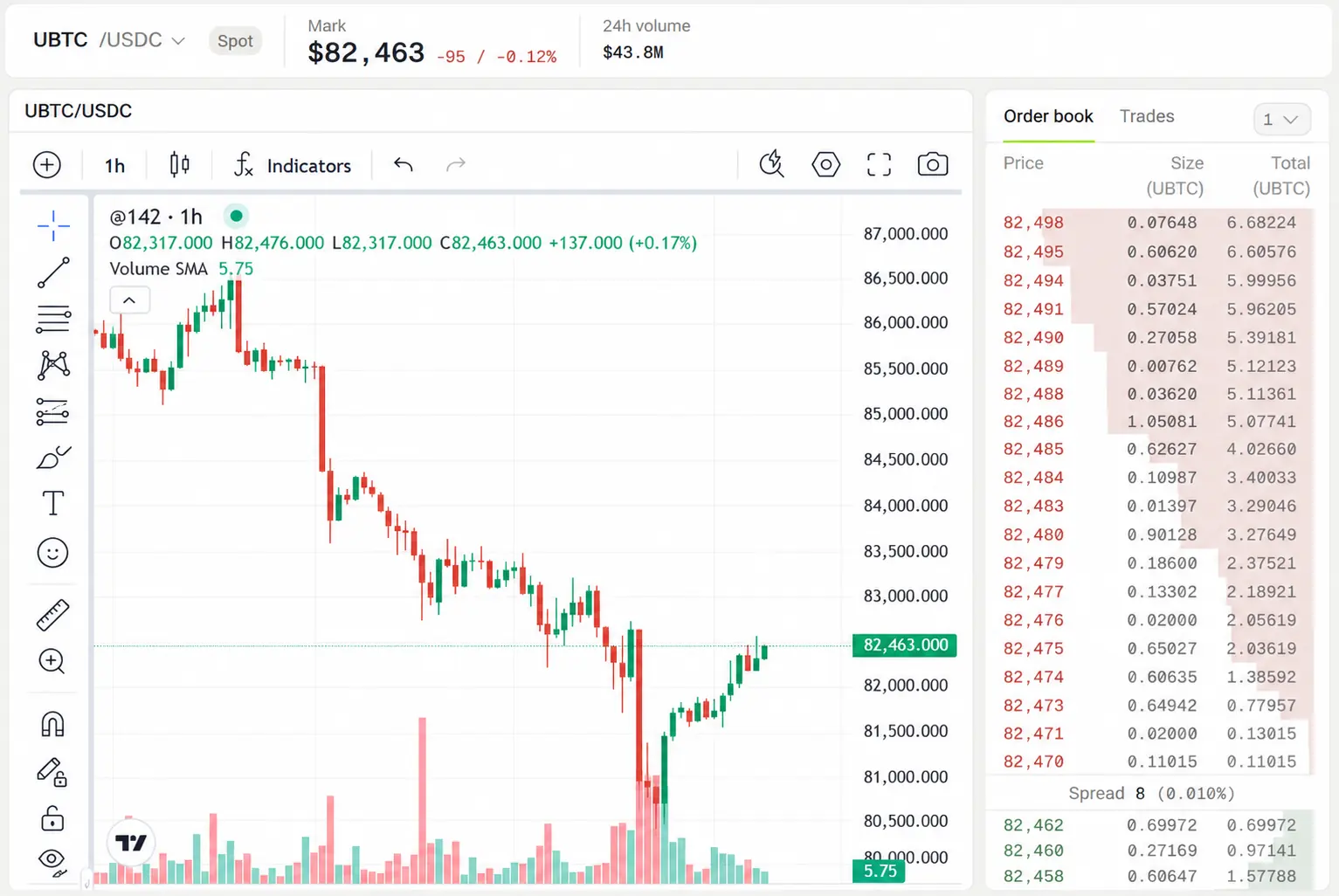
Read the result in the terminal
- Balance
- Confirm the available USDC and the asset balance. A prepared order has no effect here; a filled order does.
- Open orders
- A limit order can remain open after ChatGPT reports that the tool call succeeded. This view shows the unfilled remainder.
- Trades
- Use the fill record for execution price, size and fee. Keep the account state and the conversation report separate when they disagree; the account record is authoritative.
Runs on
The client list comes from the same release record as the MCP page. The first four have their own setup guides.
Questions people ask
- Can ChatGPT Pro place trades through Fensory?
- Not through the current full MCP path. OpenAI states that Pro custom MCP apps support read and fetch permissions, while full write actions are currently limited to Business, Enterprise and Edu beta access.
- Can ChatGPT agent mode use the Fensory app?
- No. OpenAI states that agent mode does not use custom apps. Use a regular conversation with Fensory selected for the message that needs a tool call.
- Can deep research place a trade?
- No. Deep research can use a custom app for read and fetch actions only. It can inspect account or market information but cannot use the write action required for an order.
- Does ChatGPT see my private key?
- No. ChatGPT connects over OAuth. On the current MCP path, Hyperliquid trades use a scoped signing key that can sign trades and cannot withdraw, transfer or bridge funds.
- Why start with a read-only prompt?
- It verifies the account, plan, mode, pair and limits without creating an order. It also catches the common case where OAuth completed with a different Fensory account than the one you intended.