Fensory terminal
One account for spot, tokenized markets, yield and perpetual futures
The Fensory trading terminal is the direct interface for tokenized stocks and treasuries, gold and other commodities, crypto spot and perpetual futures. The same app also lists yield products for comparison. Choose a tradeable market and place the order in the app, from the same account a connected AI assistant can use.
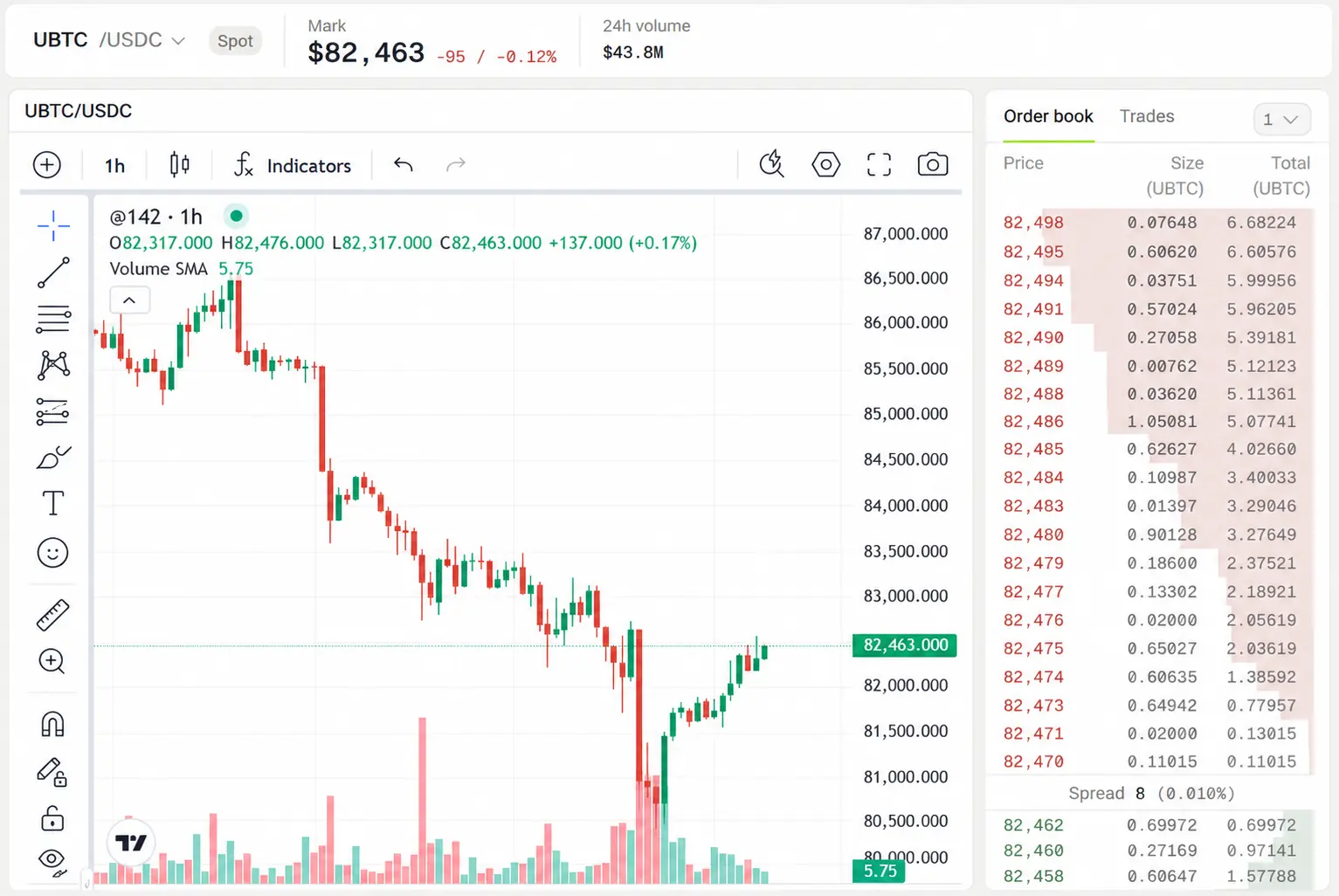
What is in the terminal
The count is only useful when it is attached to the instrument. Each row below says what you trade and where the position sits.
100+ assets
Trade issuer-backed tokens tracking listed US stocks and ETFs from Ondo Global Markets and xStocks by Backed.
The token settles to a wallet you control.
300+ pairs
Buy and sell crypto spot pairs against USDC without leverage, funding payments or a liquidation price.
Hyperliquid spot balances remain at the venue until withdrawn through the supported account flow.
450+ products
Compare tokenized treasuries, lending markets, staking products and vaults before moving idle assets.
Settlement and redemption follow the product and issuer terms shown in the app.
300+ contracts
Trade price exposure across crypto, US stock futures, commodities, indices, currencies and rates.
Margin remains at the trading venue. A contract conveys no share or physical asset.
Tokenized and futures markets
Reach gold and other commodities through the instrument available for that market.
A token and a perpetual future on the same name have different settlement and risk.
The instrument matters
One screen does not make every market the same
Tesla, gold and bitcoin can appear in more than one form. The label beside the market tells you whether you are looking at a token, a spot asset or a perpetual future.
- Tokenized assets
- An issuer mints a blockchain token against an asset it holds. The token settles on-chain to a wallet you control, subject to the issuer terms for that product.
- Crypto spot
- You buy or sell the spot asset against USDC. There is no leverage, funding payment or liquidation price. Hyperliquid spot uses wrapped assets held at the venue.
- Perpetual futures
- A derivative tracks the price with no expiry. It provides price exposure rather than ownership, can use leverage and can be liquidated. Margin remains at the venue.
- Yield products
- The return comes from the underlying treasury, lending, staking or vault product. Rates and risks vary, so the terminal shows the product before you choose it.
One account, two ways to operate it
The terminal and MCP are two interfaces to the same Fensory account. Choose the direct interface when you want to place the order yourself, or connect an assistant when you want it to work through MCP.
Terminal
Trade directly in the Fensory app
Search markets, inspect charts and order books, choose the instrument and submit the order from the visual interface.
Open the appMCP
Let a compatible assistant use the account
Connect Claude, ChatGPT, Cursor, Codex, Hermes or OpenClaw. The assistant reads markets and uses the trading tools available to that client and account.
See the MCP serverAgent controls start in the terminal
You set the boundaries in the app before a connected assistant can trade. These controls are checked on the account rather than left to a prompt.
- 01
Kill-switch
Disable agentic trading to stop new trading actions.
- 02
Access expiry
Set the maximum notional value of any single agent order.
- 03
Market allow-list
Choose which markets a connected assistant may reach.
- 04
Per-order cap
Set the maximum notional value of any single agent order.
Fees and custody depend on the market
The terminal shows the instrument before the order. That distinction determines the Fensory fee, third-party costs, settlement and risk.
- Fensory fee
- Free to connect. 0.01% to 0.05% on perpetual futures and Hyperliquid spot, nothing on tokenized equities, yields or bridging
- Tokenized assets
- Settle on-chain to a wallet you control, subject to issuer terms.
- Hyperliquid spot
- The spot balance remains at the venue until withdrawn.
- Perpetual futures
- Margin remains at the venue and the position can be liquidated.
- Third-party costs
- Exchange, network, issuer or venue costs can apply on top.
Questions people ask
- What is the Fensory trading terminal?
- The Fensory trading terminal is the direct interface for viewing markets, funding the account and placing orders in the Fensory app. It covers tokenized assets, crypto spot, yield products and perpetual futures from one account.
- Can I use Fensory without connecting an AI assistant?
- Yes. You can open the Fensory app, choose a market and place an order directly. Connecting an assistant through MCP is optional.
- Is the terminal the same as the Fensory MCP server?
- No. The terminal is the visual interface where you operate the account directly. The MCP server lets a compatible AI assistant read markets and use approved trading tools. Both connect to the same Fensory account.
- Is Fensory a non-custodial trading terminal?
- Fensory does not custody customer funds. Where a position sits depends on the instrument: tokenized assets settle to a wallet you control, while Hyperliquid spot balances and perpetual-futures margin remain at the trading venue.
- What does Fensory charge?
- Connecting is free: no account fee and no subscription. A Fensory builder fee between 0.01% and 0.05% applies to perpetual futures and Hyperliquid spot. There is no Fensory fee on tokenized equities, yields or bridging. Exchange maker and taker fees, network fees, issuer or venue spreads and the card on-ramp fee apply on top and are shown before you pay.
- Who can use Fensory?
- Fensory AG is based in Switzerland. The service is not available to US persons, and eligibility is enforced at the access layer.